|
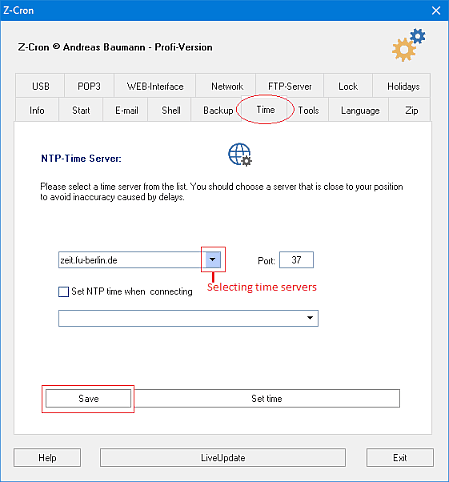
Time synchronization with internet NTP (Network Time Protocol).
For time synchronization of computers via the internet there are some time servers that anybody can access. For example, the PTB (Physikalisch-Technische Bundesanstalt, Germany) operates two servers for this purpose. For automatic synchronization of your system time, the Z-Cron scheduler can query the time server on the Internet and can synchronize your own Windows computer with the atomic time - precise to the second.
The Z-Cron program queries a time server over port 37 via TCP/IP and sets the computer clock if necessary. To use a time server for synchronization with Z-Cron, just select a time server from the list and click save.
 You need access to a time server and you must allow traffic over TCP port 37 in your firewall since the time comparison is carried out via this port. You need access to a time server and you must allow traffic over TCP port 37 in your firewall since the time comparison is carried out via this port.
All mentioned trademarks and company names are subject to the Copyright of their respective owners.
|