|
|

|
SSH-COMMAND
|
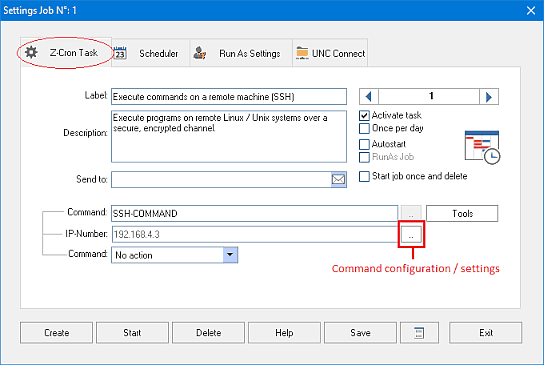
The command SSH-COMMAND can be used to send commands via SSH to a remote computer.
Command Configuration
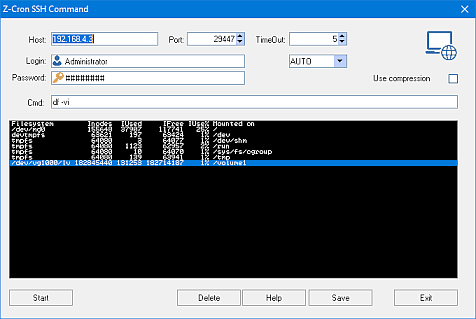
Host: Insert the IP-address or network path of the SSH server you want to send commands to.
Port: The port to which commands should be send. The usual port for SSH is 22.
Timeout: The amount of seconds Z-Cron will wait for an answer from the server.
Login & Password: The user name and password that should be used to login at the SSH server.
Cmd: Insert the commands you want to send to the remote computer here. Multiple commands can be entered using ; as a delimiter.
Use Compression: If this option is activated the data stream will be compressed.
All mentioned trademarks and company names are subject to the Copyright of their respective owners.
|