|
|
|
SERVICE START - STOP - RESTART - WATCH
|
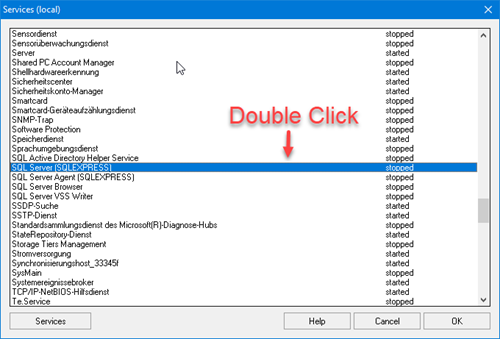
Stops, starts or restarts the selected system service. To select a service press the ... button and you will get a list of available services and their current state.
A service is a special type of application that is run in the background and which can be compared to the Daemon programs on UNIX operating systems. Services usually provide features such as client/server applications, web servers, database servers and other server based applications for users both in the local system and in a network.
Selection of local services
By double-clicking on the desired entry, a service can be selected for the commands SERVICE-START, SERVICE-STOP and SERVICE-RESTART.
The command SERVICE-WATCH can be used for monitoring local services. When the command is run, it checks whether the specified service is currently running, and if not, starts it.
All mentioned trademarks and company names are subject to the Copyright of their respective owners.
|